

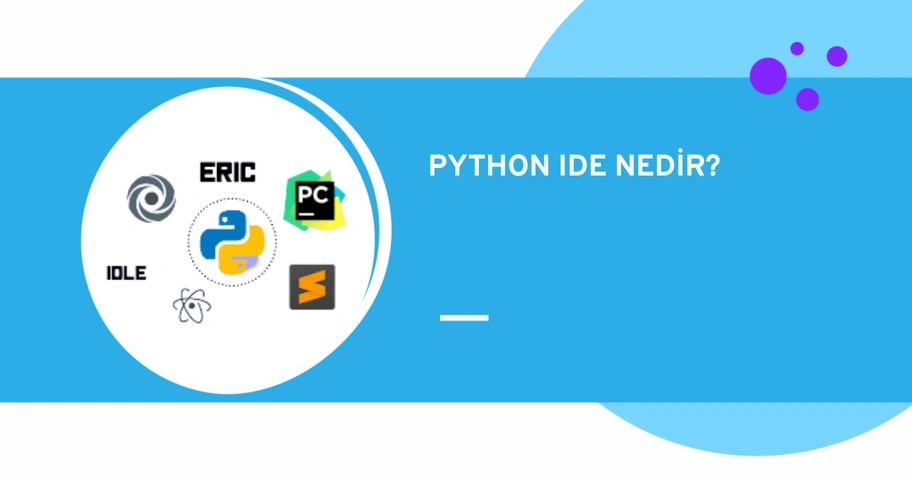




Python IDEs are designed to simplify the coding process and debugging for developers. Python developers can manage a large codebase by using these Python IDEs (Integrated Development Environments). Developers can use these editors to create desktop or web applications. In this article, we have compiled the best Python IDEs. 👇
1. Pycharm

Platform: Linux / macOS / Windows
Website: https://www.jetbrains.com/pycharm/
Pycharm is an Integrated Development Environment (IDE) developed by JetBrains for the Python programming language. Pycharm helps developers create, manage, and debug Python projects.
Fast and secure code editing features stand out. It offers a range of features such as code completion, syntax highlighting, code inspection, debugging, test writing, code refactoring, version control, file management, and plugins.
There are three editions. Among them, the community and educational editions are free and open-source. The professional edition, however, is paid. The free community edition offers various features such as syntax highlighting, auto-completion, and live code validation. It is a very useful IDE for beginners. The paid edition provides database management and a range of web development tools.
Advantages:
- Offers community support.
- Offers a wide range of useful plugins.
- Executes, edits, and debugs Python code without any plugins.
- Has shortcuts for productivity.
- Offers advanced debugging features.
- Provides comprehensive documentation and support.
Disadvantages:
- The professional edition is paid.
- The free edition offers less functionality compared to the paid editions.
- It has high system requirements and may run slowly.
- The community edition does not allow the use of other programming languages.
2. Eclipse

Platform: GNU / Linux / macOS / Windows /Solaris
Website: https://www.eclipse.org/
Eclipse is a free IDE designed for the Java programming language. With plugins, it can also be used for the Python programming language.
To use Eclipse as a Python IDE, the Pydev plugin is required. PyDev is a plugin specifically designed for the Python programming language and includes many Python-related features. It offers features like auto-completion and code analysis.
Advantages:
- Easy to learn.
- Has advanced features.
- Has a large and active community.
- With the code completion feature, Python code is written faster and more accurately.
- Makes project management easier.
Disadvantages:
- The user interface is complex.
- Setting up PyDev is more difficult compared to other Python IDEs.
- Eclipse IDE consumes more memory with the PyDev plugin.
3. Idle

Platform: Linux / macOS / Windows
Website: https://docs.python.org/3/library/idle.html
IDLE is the integrated development environment (IDE) for the Python programming language. It allows developers to easily write Python code. The IDLE IDE enables computer programmers to work on Python projects in a fast and easy manner.
The IDLE IDE is used to execute a single statement and to create, modify, and execute Python scripts. It provides a full-featured text editor for these Python scripts. Additionally, it has a debugger that facilitates debugging. The use cases of the IDLE IDE include data analysis, scientific computing, machine learning, web application development, game development, and many other areas.
Advantages:
- Easy to use for beginners.
- IDLE IDE is an open-source development environment. Everyone can use IDLE. Additionally, IDLE is free.
- Offers features like syntax highlighting, debugging, and auto-completion.
- IDLE IDE can run on different operating systems.
- Has a simple interface.
- Does not require additional steps for installation. It is a part of the Python programming language and is installed within Python.
- The IDLE IDE can be customized according to the users' needs.
Disadvantages:
- Not suitable for large projects.
- Features are limited. It does not have as many advanced features as other IDEs.
- May run slowly and experience performance issues.
- IDLE may not support some coding standards.
- Since IDLE IDE is a cloud-based service, users cannot use IDLE in environments without an internet connection.
4. Jupyter

Platform: Linux/macOS/Windows
Website: https://jupyter.org/
Jupyter is a open-source and web-based IDE. It is a useful Python IDE for creating Python scripts. Python offers support for R, Julia, and other programming languages.
It is used for research, data analysis, and data visualization. It is quite popular among data scientists because it offers machine learning tools. Like IDLE, Jupyter is a ready-to-use IDE.
Advantages:
- Easy to use and learn.
- Supports a wide range of programming languages.
- Jupyter makes it easy for users to share their work. Users can share their work by exporting files in HTML or PDF format or by sharing them on platforms like GitHub or Dropbox.
Disadvantages:
- Mostly suitable for developments in the data field.
- Does not have many advanced features.
- May encounter issues when handling large data files.
- Allows users to run codes directly, which can lead to security vulnerabilities.
- Since it is web-based, it cannot be used in environments without internet access.
5. Spyder

Platform: Linux / macOS / Windows
Website: https://github.com/spyder-ide/spyder
Spyder is a development environment for the Python programming language. It has basic features like syntax highlighting and auto-completion. Spyder also integrates various scientific libraries such as Matplotlib, NumPy, IPython, and SciPy.
Spyder, an open-source and free IDE, is easy to install. It is designed especially for data scientists and offers a range of features that facilitate tasks such as data analysis, data visualization, scientific computing, and data manipulation.
Advantages:
- Offers community support.
- Has a rich set of tools.
- Provides comprehensive documentation.
- Has an easy-to-use interface.
Disadvantages:
- May run slower compared to other Python development environments.
- Relatively difficult to learn.
6. Wing

Platform: Linux / macOS / Windows
Website: https://wingware.com/
Wing is a Python IDE designed to provide a more productive development experience in Python. It offers features such as code feedback, syntax highlighting, auto code completion, and refactoring.
There are three versions: Wing Pro (paid), Wing Personal (free), and Wing 101 (free). Wing Personal and Wing 101 are designed to teach programming lessons and are among the best IDEs for beginners in Python. Wing Pro is a paid version and has advanced features.
Advantages:
- Customizable.
- Has rich features.
- Offers code completion feature.
- Detects errors within the program.
Disadvantages:
- Offers limited features for non-Python-based languages.
- Wing Pro has more advanced features but is paid.
7. Thonny

Platform: Linux / macOS / Windows
Website: https://thonny.org
Thonny is one of the most popular Python IDEs. It is a very useful IDE, especially for those who are new to learning Python. This IDE has a simple user interface and is designed to facilitate the learning process.
Advantages:
- Free, simple, and lightweight.
- Has a functional user interface.
- Easy to learn.
- Offers various tools for the Python programming language.
Disadvantages:
- Not sufficient for experienced Python developers.
- Does not have advanced features.
- Not suitable for large projects.
8. Visual Studio

Platform: Windows and macOS
Website: https://www.visualstudio.com/vs/
Developed by Microsoft, Visual Studio is the IDE preferred most by developers. Visual Studio has both free and paid editions. It provides development and extensions for various platforms.
Visual Studio provides the necessary tools to write, test, and debug Python code. It is used for tasks such as creating Python projects, installing custom libraries, and managing package managers.
Advantages:
- Offers rich features.
- Highly customizable with many plugins and tools.
- Easy to use.
- Continuously updated.
- Has a user-friendly interface.
Disadvantages:
- Visual Studio requires high system specifications.
- Does not run on Linux operating systems.
- The download and installation process can be lengthy.
Which Python IDE Should You Choose?
There are many Python IDEs available that you can use while learning or developing with the Python language. IDEs have different features, advantages, and disadvantages. Therefore, you should compare them all to determine which IDE is most suitable for you. Here are some basic recommendations:
- ✅ For beginners: Thonny IDE
- ✅ Web development: PyCharm Professional
- ✅ Data science: Spyder, Jupyter Notebook, PyCharm Professional
- ✅ Scripting: PyCharm Community, Eclipse + PyDev
- ✅ QA: PyCharm Community, Jupyter Notebook
- ✅ Free Python IDEs: PyCharm, PyDev, Jupyter Notebook, Spyder, Thonny
Conclusion
Python is one of the best-known and perhaps the most popular programming languages. There are many paid and free Python IDEs available to increase your productivity. By reviewing our list of the best Python IDEs, you can choose the IDE that best suits your needs.
If you are just starting to learn Python or beginning your journey as an expert Python developer from the beginner level, you can check out our Python Bootcamps.




