







In the past few years, significant advancements have been made in the field of artificial intelligence. However, a large part of these developments occurred in deep learning, computer vision, and image processing fields.
Computer vision is a process that enables machines to understand the content of images and videos. Many areas, from autonomous vehicles to applications like photo editing, benefit from this technology. It is also used in processes such as automatic image reading, face and shape recognition, and text recognition.
Today, there is a tool that is considered the standard in the fields of image processing and computer vision: OpenCV.
OpenCV or Open Source Computer Vision is an open-source library that provides tools for real-time image and video processing.
OpenCV has over 2500 algorithms that include deep learning techniques. These algorithms are used for tasks such as object detection, image segmentation, and face recognition.
In this article, we will explore what OpenCV is, how it has evolved over the years, and how people are using it in exciting ways. Let’s get started!
What is OpenCV?
OpenCV is an abbreviation for "Open Source Computer Vision Library" and is an open-source library that provides real-time image and video processing tools for computer vision applications.
Since it is open-source, anyone can use it and adapt it to their projects. It is suitable for all kinds of projects, from large companies like Google to small startups and academic research.
Let’s move on to the standout features of OpenCV. ✍️ OpenCV is filled with algorithms that provide everything from recognizing objects to tracking the movement of objects and even creating 3D models. It has a large community with over 47,000 users and more than 18 million downloads.
OpenCV supports languages such as C++, Python, Java, and MATLAB. It runs on Windows, Linux, Android, and MacOS. It is especially suitable for projects that need to run in real-time.
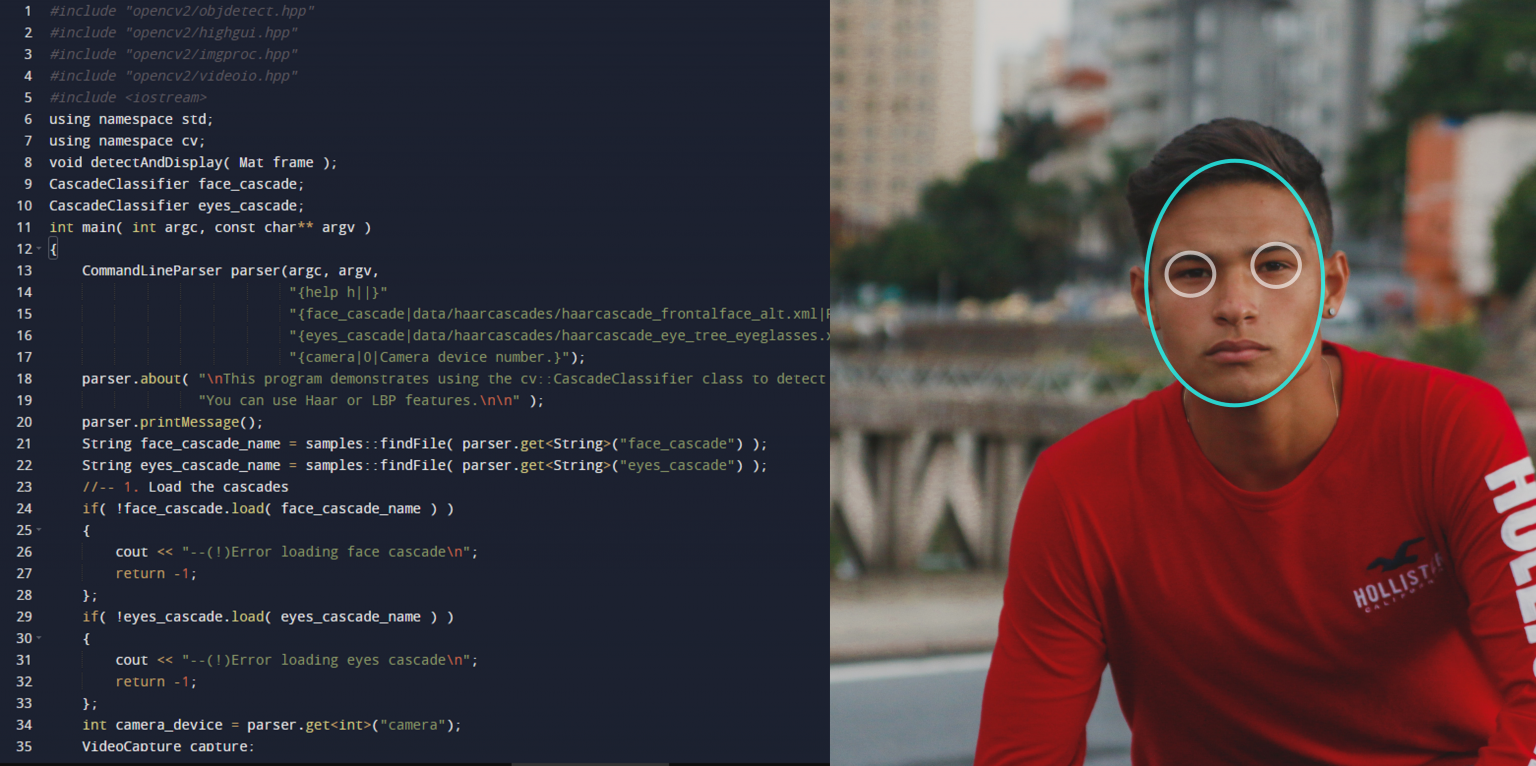
Here is a simple demo code for face detection using C++ with OpenCV:
Architecture of OpenCV
The architecture of OpenCV is designed to support a wide range of computer vision and machine learning applications. At its core is a fundamental component called CXCore. This core contains the main functions and algorithms, reducing redundancies and increasing efficiency.
In addition to the core of OpenCV, there is the CV component, which focuses on image processing and vision algorithms, and the MLL component, which includes statistical classification and clustering tools. Additionally, there is another component called HighGUI, which is designed for graphical user interface functions and image/video input-output operations. This modular structure allows for the flexible integration of machine learning features.
Algorithms of OpenCV
The OpenCV library offers over 2500 optimized algorithms. These algorithms can be used for various tasks such as image classification, object detection, image segmentation, feature extraction, and even handwriting recognition. We can say that the possibilities with OpenCV’s algorithms are endless.
Let’s take a closer look at some of these algorithms. 👉 Support Vector Machines (SVM) and K-Nearest Neighbors (KNN) algorithms are used in image classification tasks by grouping similar data points. These algorithms are suitable for distinguishing between categories such as animals or objects.
Decision trees are often used in conjunction with other machine learning techniques like deep learning to enhance performance in tasks such as object detection and image segmentation.
The deep learning part of OpenCV includes neural networks that support frameworks like TensorFlow and PyTorch frameworks. Additionally, OpenCV is continuously evolving, integrating new models like YOLO (You Only Look Once) for object detection and Vision Transformers (ViTs), which use the Transformer architecture for image classification and detection tasks.
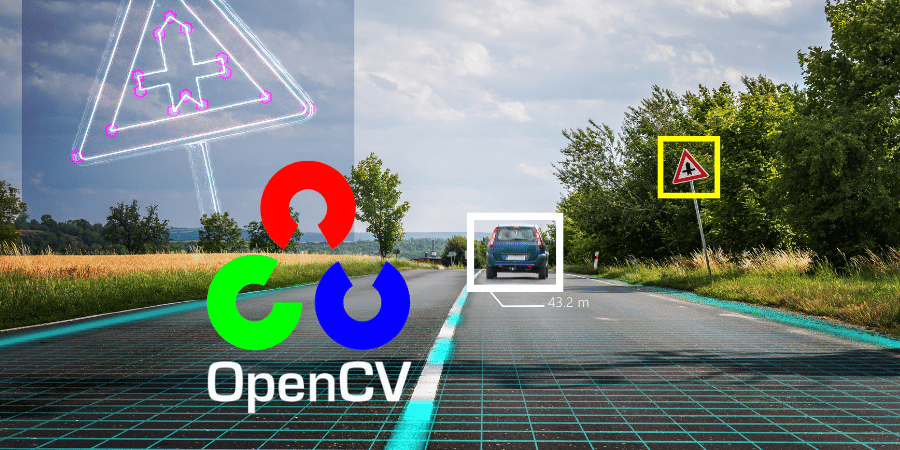
What is OpenCV Used For?
OpenCV was developed to create a wide variety of applications in the fields of computer vision and image processing. Therefore, OpenCV focuses on artificial intelligence and real-time applications of vision technology.
The goal of OpenCV is to provide a simple computer vision infrastructure that helps users quickly create advanced vision applications. To this end, OpenCV offers over 500 functions. These functions include factory product inspection, medical imaging, security analytics, human-machine interface, camera calibration, stereo vision (3D vision), and robotic vision functions.
Comprehensive image processing features, video stream processing, image stitching (combining images from multiple cameras), and various image preprocessing tasks are also supported.
Large enterprises and government institutions are among those who use OpenCV. Companies like Google, Toyota, IBM, Microsoft, SONY, Siemens, and Facebook all use OpenCV.
OpenCV Use Cases
Below are some areas where OpenCV can be used. 👇
2D and 3D Feature Toolsets
OpenCV provides powerful toolsets that enable the analysis of both 2D and 3D features. This feature can be used for tasks such as image matching, object tracking, and augmented reality applications.
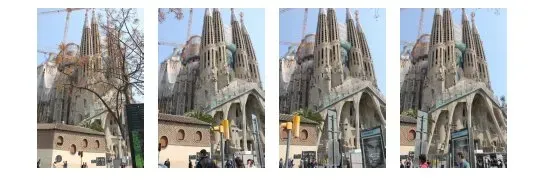
For example, OpenCV can detect and match key features to create panoramic images or generate 3D models from multiple images. It can even be used to reconstruct a scene.
In the example above, in the original image, the building is hidden behind the objects in the foreground. In the output image, the scene is reconstructed, and the building is no longer hidden.
Motion Recognition and Human-Computer Interaction
OpenCV helps facilitate the development of motion recognition systems. Motion recognition allows users to interact with computers or devices through gestures and movements.
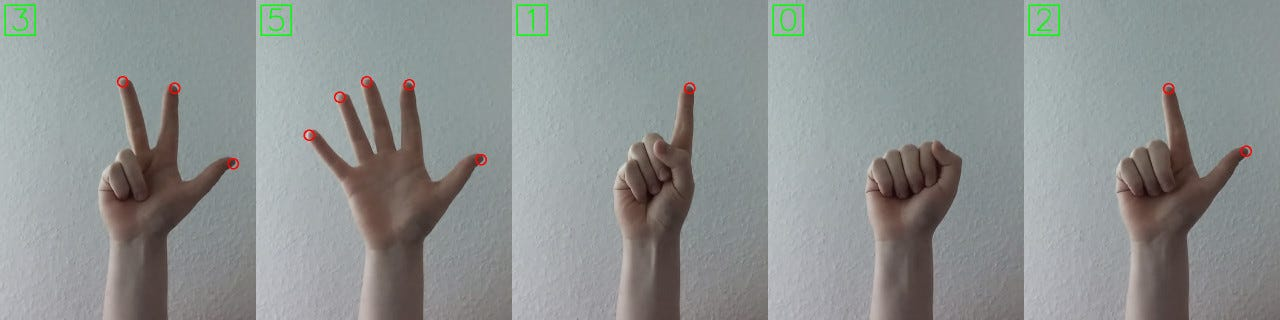
As shown in the example above, with the help of OpenCV, a webcam can track hand movements and allow users to navigate through menus. It enables all these actions on the screen without physical control devices.
Motion Interpretation and Object Detection
Motion detection in OpenCV refers to the process of determining changes in the positions of objects within a scene over time. A motion detection algorithm analyzes video frames and detects changes in pixel intensity to determine the movement of objects. The motion detection algorithm can be used to detect various types of movements, including object movement, camera movement and background movement, among other types of motion.
For example, a motion detection system that monitors security camera footage has been developed using OpenCV. Such a system can alert users in real-time when suspicious movements are detected. 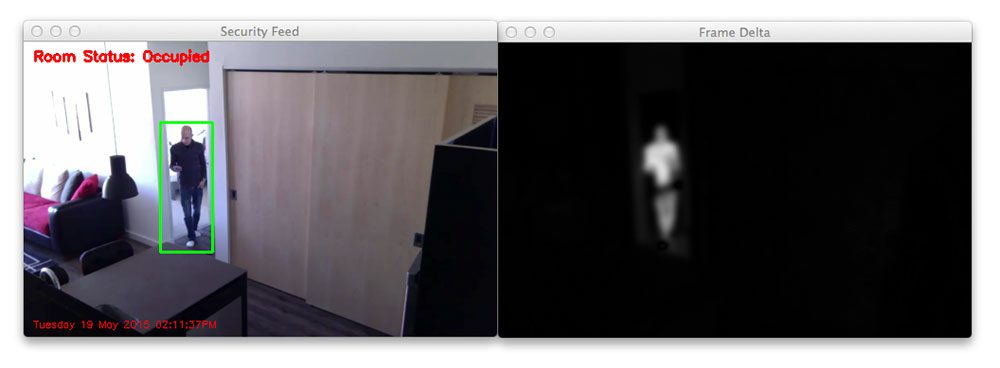
Augmented Reality
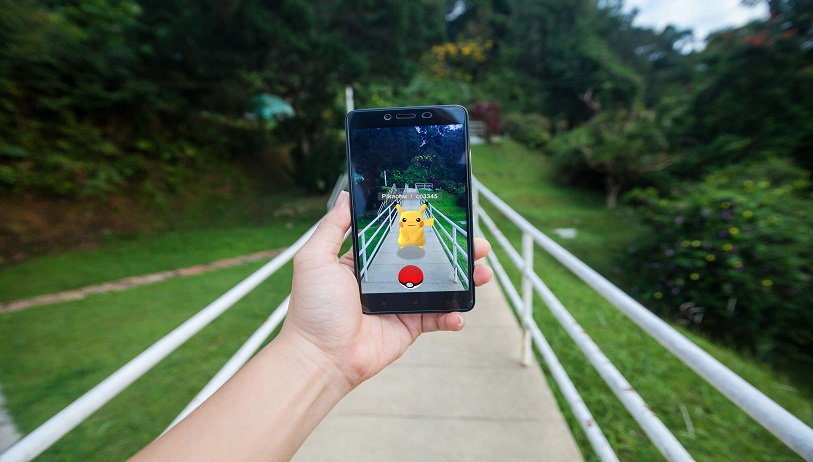
In the past, we saw the world with only our five senses: sight, hearing, smell, taste, and touch. This is changing now.
Smartphones are transforming the world both literally and metaphorically by converting senses like vision, hearing, and touch. Who knows, maybe one day augmented reality will enhance smell and taste as well…🤷♀️
As the name suggests, augmented reality enriches the real world around us with computer-generated perceptual information. OpenCV enables the real-time addition of digital content to the real world in augmented reality applications. This technology is used in areas like gaming, education, and marketing.
Face Recognition
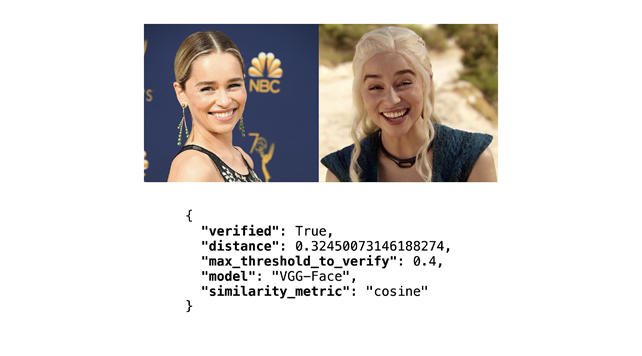
Automatic face recognition identifies a human face and matches it against a face feature database. OpenCV's FaceRecognizer provides a set of popular face recognition algorithms for use in real applications.
How to Install OpenCV in Python?
1. Ensure Python is Installed
First, make sure Python is installed on your computer. If it is not installed, you can download and install Python from Python's official website to download and install Python.
2. Install OpenCV with pip
To install OpenCV, use Python’s package manager pip. You can install OpenCV by entering the following command in your terminal or command prompt:

This command installs the core library of OpenCV. If you need additional modules for video processing and advanced features, you can install them using the following additional command:

3. Verify the Installation
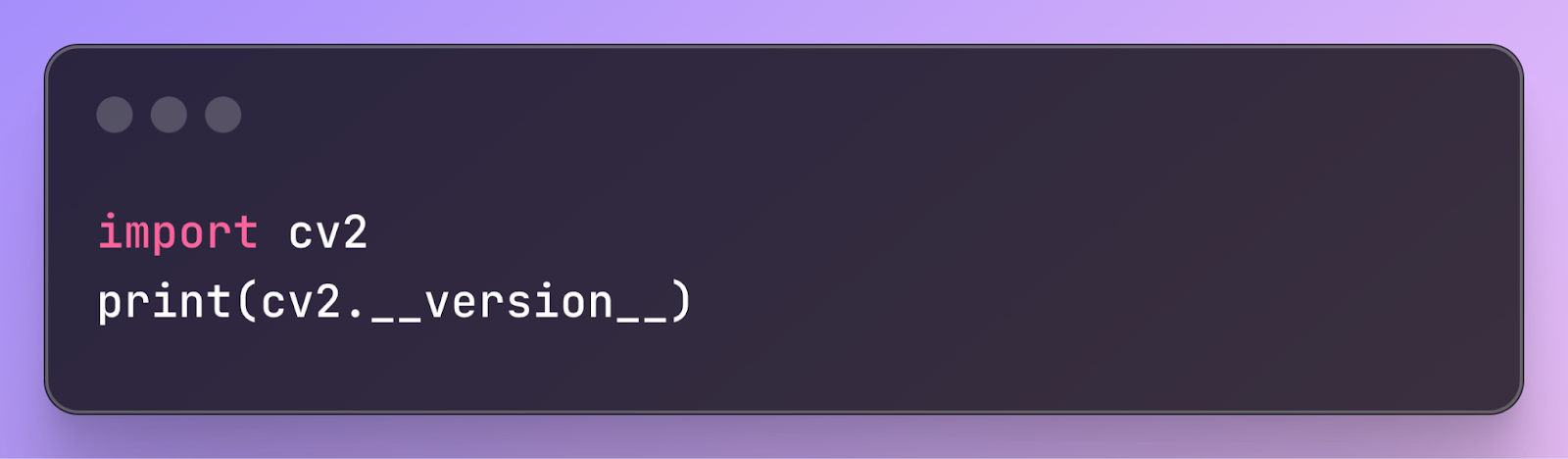
To check that OpenCV has been successfully installed and to see which version is installed, you can run the following lines:
4. Required Additional Packages
You may need to install additional libraries to process images and videos with OpenCV. Especially when performing video processing, dependencies like ffmpeg or gstreamer may be required.
After that, everything is ready. You can now start using OpenCV with Python!
Image Processing with OpenCV
The future of OpenCV and computer vision looks very exciting. This continuously evolving technology is poised to create transformations across many industries. With the rise of edge computing and the Internet of Things (IoT) technologies, the demand for lightweight and efficient computer vision solutions is expected to increase.
Looking at the development of OpenCV, it has come a long way since 1999. It has a wide range of tools, from basic image processing operations to motion control in augmented reality. Its continuous renewal makes OpenCV a powerful tool for developers and researchers.
Whether you are learning how to implement face recognition in video streams, creating a deep learning project for image classification, or simply adding image recognition features to your hobby project, at some point you may need to learn OpenCV.
The truth is, learning OpenCV used to be quite difficult. Navigating the documentation was challenging, and even training resources were lacking. However, learning OpenCV is no longer as difficult as it used to be. In fact, working with OpenCV has become significantly easier.
To learn how to use OpenCV and improve your image processing skills, you can check out our open free bootcamps.




