







As developers, we are all looking for tools that help us write code faster and increase our productivity. One such tool that has gained popularity recently is Tabnine AI.
Tabnine combines production-level artificial intelligence with code development processes, helping developers write code faster. Among Tabnine's competitors are platforms like GitHub Copilot and Amazon CodeWhisperer platforms.
In this article, we will explore how you can effectively use Tabnine AI and how it can improve your coding experience.
What is Tabnine AI?
Tabnine AI is an AI-powered code completion tool that integrates with popular IDEs. In short, it is an AI coding assistant. It is compatible with Visual Studio Code, IntelliJ, Eclipse, and other IDEs.
Tabnine analyzes the code you write using machine learning algorithms and offers real-time code suggestions. This allows you to write code faster and with fewer errors.
Main features of Tabnine are:
✅ Tabnine suggests completion for the entire line based on context.
✅ It generates complete function definitions using function declarations.
✅ It generates code from comments.
✅ Models run locally on machines.
✅ It is trained only with permitted open-source code. This ensures compliance with its security policies.
✅ Continuously improves by learning from the codebase without seeing real code.
Use Cases of Tabnine
All Line and Function Code Completions
Tabnine can completely complete a line by analyzing the context of your code or suggest a complete function for you. So when you start typing just a few characters, Tabnine automatically completes the rest of the code or creates a complete function structure.
AI-Powered Code Editing
Tabnine analyzes your code and provides improvement suggestions for better readability and efficiency.
Customizable Models
You can train custom models in Tabnine using your own codebase.
Automatic Code Generation
Tabnine AI accelerates code writing with AI-powered auto-completion, allowing you to complete your projects in a shorter time.
Personalized AI Tools
Tabnine AI can be customized according to your team's needs and offers a personalized experience that matches your coding style. You can provide a more efficient coding environment according to your own working style.
Installing Tabnine
You can quickly install the Tabnine extension for your preferred integrated development environment (IDE). The installation process may vary depending on the IDE used. However, assuming the IDE is installed, you can follow these steps to install Tabnine 👇;
- Download the Tabnine AI extension from the IDE's extension marketplace or extension manager.
- After completing the installation, restart your IDE. After this step, Tabnine should be active.
- After installation, you can customize Tabnine's settings according to your preferences. By accessing these settings from the IDE's settings menu, you can select options that best suit your coding style and project requirements.
Leveraging Tabnine AI While Coding
After installing Tabnine AI, we have listed below some ways to maximize your coding speed and efficiency by using this tool in the most efficient way:
Don't Hesitate to Use Contextual Code Completion
Tabnine AI is really good at providing code suggestions that fit your context. While writing code, Tabnine understands your surrounding code and suggests relevant completions. We recommend evaluating these suggestions and using the one that best suits you.
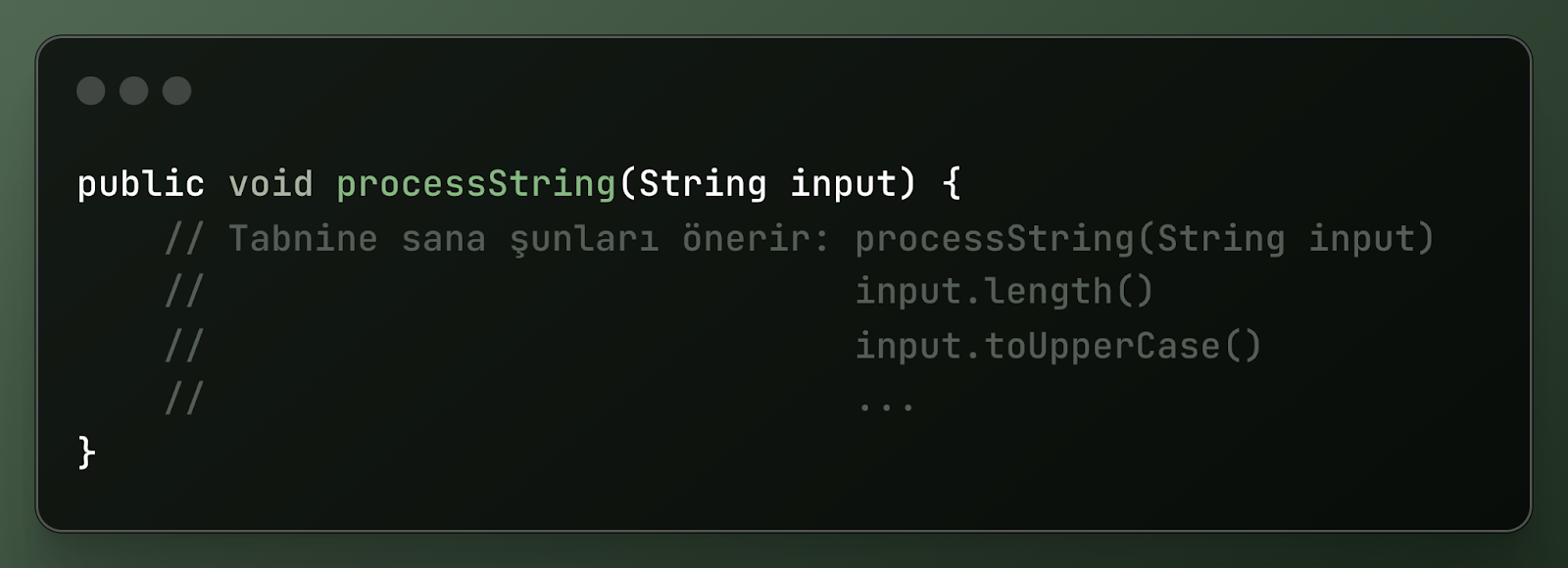
📌 Example:
Imagine you are writing a Java method that takes a string parameter. When you start typing, Tabnine suggests method signatures appropriate to the parameter type and return value.
Discover New Libraries and Codes
Tabnine AI not only completes your code but also helps you discover new libraries, methods, and APIs. When you encounter a code you are not familiar with, Tabnine provides relevant completions to help you gain more information.
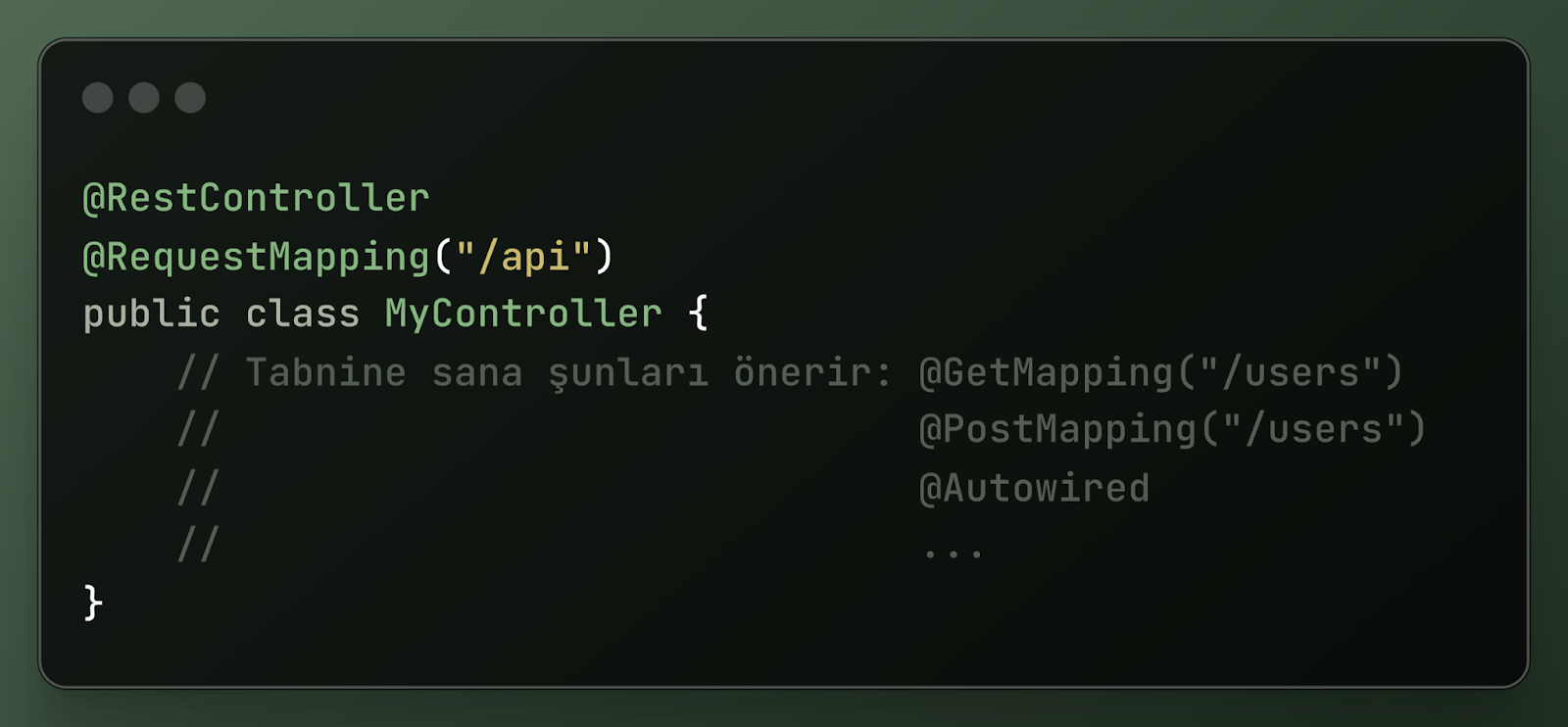
📌 Example:
If you are using the Spring Framework in a Java project, Tabnine can suggest Spring-specific annotations, helper classes, and method calls.
Alternatives to Tabnine AI
Although Tabnine is a popular AI code completion tool, there are certainly alternative options available on the market. Its biggest competitor is GitHub Copilot. However, before moving on to comparisons, let's look at some notable alternatives below:
1. OpenAI Codex
A general-purpose model that generates code from natural language prompts, offering code review, code scanning, language translation, and customization capabilities. It primarily supports the Python programming language. It provides limited support for other programming languages.
2. Sourcegraph
An AI-powered coding platform for writing, editing, and reviewing code. It offers features such as code generation, codebase exploration, vulnerability detection, AI-powered chat, and automatic generation of unit tests.
3. Replit
An AI-powered coding platform that supports over twenty programming languages, offers auto-completion suggestions, proactive debugging, and in-IDE chat features.
4. DeepCode
A code review tool that uses AI to analyze code and provide suggestions for code improvements and bug fixes.
GitHub Copilot or Tabnine? Which is Better?
Developers love AI-assisted coding helpers. They increase productivity, simplify workflows, and improve code quality... Two major competitors in this field are GitHub Copilot and Tabnine.
Training Data
- GitHub Copilot: Trained on billions of lines of general code from GitHub. This allows it to make contextually meaningful code suggestions in many languages and frameworks.
- Tabnine: Trained on carefully selected high-quality code with licensed licenses. This ensures that Tabnine's suggestions adhere to better coding standards. Hence, it is a more suitable option for corporate environments where code quality and security are important.
Language Support
- GitHub Copilot: Supports many languages such as Python, Java, C#, C++, and Go.
- Tabnine: Like Copilot, it has broad language support. However, Tabnine can be personalized based on the codebase and better adapts to projects.
Testing and Code Quality
- GitHub Copilot: Focused on code completion and generation. Limited in test suggestions.
- Tabnine: Emphasizes code quality and refactoring. Detects bugs and security vulnerabilities, and also provides suggestions for unit tests.
Privacy and Security
- GitHub Copilot: Since it analyzes code on the cloud, it may raise some privacy concerns. However, GitHub has taken steps to protect user data.
- Tabnine: Especially the Pro plan offers a more secure solution in terms of privacy. On-premises installation can be performed, ensuring that code never leaves the private network. Additionally, the Pro plan offers full control over data sharing.
Integrations
- GitHub Copilot: Integrates with popular tools like Visual Studio Code and JetBrains.
- Tabnine: Allows integration with tools like VSCode, Sublime Text, and Atom.




